The Myth of the Standalone Razor Shark APK
No standalone Razor Shark APK exists. Push Gaming builds cloud-rendered HTML5 clients, not downloadable binaries. Every "razor shark apk" link you find online is either malware or a credential harvester. The file cannot connect to Push Gaming servers because no such connection endpoint exists for sideloaded apps.
The real mobile client needs no file download. It renders in your browser — and it does so faster than most native apps.
Cloud Rendering: The WebGL HTML5 Advantage
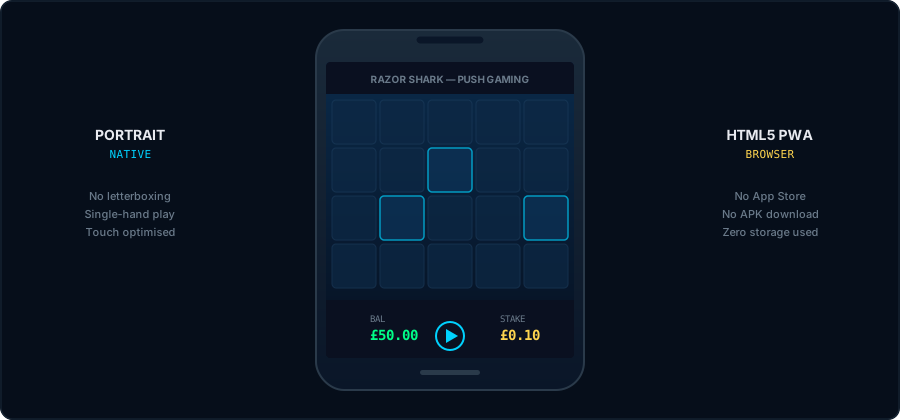
The HTML5 Canvas engine renders the full 5×4 grid directly inside Safari or Chrome. No intermediary app layer. No storage footprint. No version updates to install. The WebGL renderer handles all animation frames — Seaweed Stacks, Razor Reveal coin spins, Free Games transitions — without downloading assets to your device.
Viewport scaling adjusts dynamically to any screen ratio. No letterboxing. No forced landscape rotation. The UI was built for portrait-first, single-hand interaction.
Spin outcomes resolve on Push Gaming's servers before your device receives the result. The HTML5 Canvas executes the visual payload — it does not calculate it. Your connection delivers a replay, not a live computation.
The browser runs the game. Your home screen can launch it instantly — without the App Store.
How to Install the Razor Shark PWA (iOS & Android)

- Open Safari and load the secure HTML5 client on your UKGC-licensed operator site.
- Tap the Share icon (square with upward arrow) in the bottom toolbar.
- Select "Add to Home Screen." Name the shortcut "Razor Shark" or leave the default.
- Launch from your home screen. The PWA opens in full-screen mode — no browser chrome, no address bar. It behaves like a native app.
- Open Chrome and load the secure HTML5 client on your UKGC-licensed operator site.
- Tap the three-dot menu in the top-right corner.
- Select "Install App" or "Add to Home Screen" (wording varies by Chrome version).
- Launch via the PWA shortcut in your app drawer. Full-screen mode. Instant load. No Play Store required.
The PWA shortcut launches the same HTML5 client as browser play. Same PRNG. Same server-side resolution. The only difference: full-screen mode and one-tap access.
Load Sandbox Client to Create ShortcutShortcut installed. Now: what happens if your connection drops mid-spin.
Mobile Connectivity & Biometric Security
Mobile connections drop. The game accounts for this. If your signal cuts during a spin, the server has already resolved the outcome. When you reconnect, the client retrieves the stored result and displays it. No spin is lost. No wager disappears. Session state preservation keeps your balance intact.
Deposits and withdrawals on mobile use the same financial infrastructure as desktop. Most UKGC-licensed operators support Visa Direct and Trustly open banking on mobile browsers. Some operators also offer biometric authentication (Face ID on iOS, fingerprint on Android) for faster login — this is an operator feature, not a game feature. Check your operator's mobile banking options before your first session.
Launch HTML5 Client — Real Mode (£0.10 Min Stake)Mobile FAQ: Offline Play, Battery & Sync
Can I play Razor Shark offline on my phone?
No. The HTML5 engine requires an active internet connection. Every spin resolves on Push Gaming's remote servers via encrypted client-server sync. The game cannot generate outcomes locally. No connection means no spin.
Does the HTML5 client drain my mobile battery?
WebGL rendering is GPU-intensive. Extended sessions — especially during Free Games with complex animations — will consume battery faster than standard browsing. Reduce ambient animations via the in-game settings menu if available, or enable your device's built-in battery saver mode to throttle background processes during play.
Is the RTP different on mobile vs desktop?
No. The math model is device-agnostic. The PRNG engine runs server-side — your device only renders the result. However, operators can still deploy nerfed RTP payloads (95.05% or 94.06%) regardless of device. Always check the in-game paytable on mobile before staking real GBP. Verify dynamic RTP on mobile →
Why is Razor Shark not available in the App Store or Google Play?
App Store and Google Play policies restrict standalone real-money gambling apps in most jurisdictions. B2B providers like Push Gaming distribute their games via HTML5 browser deployment to UKGC-licensed operators instead. The PWA shortcut method gives you the same one-tap launch experience without platform restrictions.